Register now




December 5, 2025
December 5, 2025
December 5, 2025
December 5, 2025
Optimizing Kubernetes costs requires a deep understanding of resource management, from right-sizing pod and node configurations to efficient scaling strategies. Misconfigurations in resource requests and autoscaling policies can lead to over-provisioning or under-provisioning, driving up unnecessary costs. By carefully managing key factors like storage, networking, and node types, you can reduce waste while maintaining performance. Implementing smart practices like spot instances and vertical pod autoscaling helps automate cost optimization, ensuring your cluster stays efficient and cost-effective as it scales.
Is your Kubernetes environment consuming more of your budget than you expected, even after making ongoing optimization efforts? You know you’re constantly balancing the need to scale fast with the pressure to keep costs under control.
Yet, autoscaling decisions, resource misconfigurations, and unpredictable workload patterns can quietly drive expenses higher. Recent findings show that 21% of enterprise cloud infrastructure spending in 2025, about $44.5 billion, was wasted due to underutilized resources, highlighting how quickly these inefficiencies can add up.
Kubernetes’s dynamic nature makes it even easier to slip into over-provisioning or under-provisioning, both of which waste money and strain performance. This guide isn’t another “ten tips to save on Kubernetes” piece. It’s a practical look at how engineering teams can close the efficiency gap.
In this blog, you’ll explore how to fine-tune your Kubernetes setup, from right-sizing resources to optimizing autoscaling so that you can regain control of your costs.
Many teams assume Kubernetes will manage resources efficiently on its own, but the platform only performs as well as the configurations you set. Cost optimization is what ensures the cluster behaves predictably as workloads shift.
Kubernetes cost optimization is the practice of aligning pod, node, and cluster resources with the real behavior of your containerized workloads. It focuses on right-sizing CPU and memory requests, improving pod-to-node placement, fine-tuning autoscaling rules, and selecting the most efficient node types.
Kubernetes environments change rapidly as deployments change, services scale, and workloads fluctuate. Cost optimization ensures clusters operate on the smallest safe footprint while maintaining performance under real traffic conditions.
Even small misalignments in resource requests, autoscaling, or node choices can snowball into significant waste at scale, which is why understanding the impact areas matters.
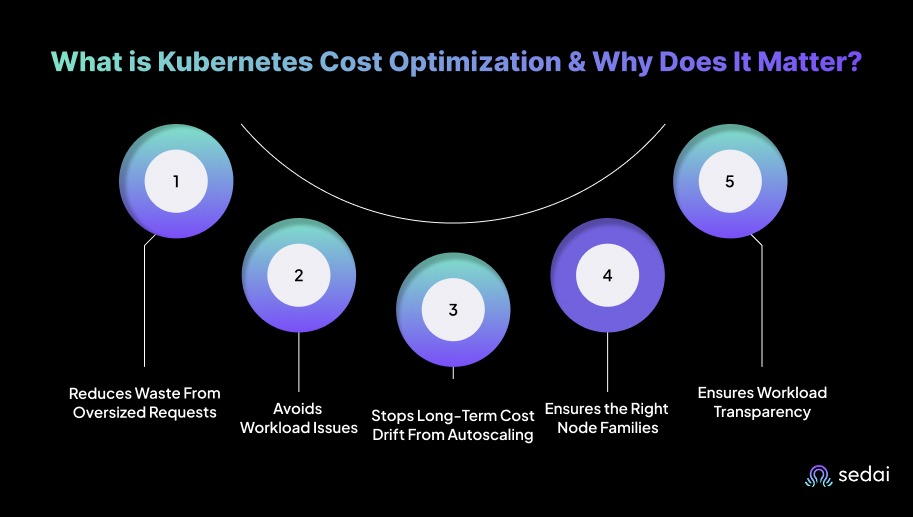
Here’s why Kubernetes cost optimization matters:
You often configure conservative CPU and memory requests, which limit pod density and force Kubernetes to provision unnecessary nodes. Rightsizing requests and improving bin packing lowers node counts while keeping workloads stable, directly reducing compute spend without compromising reliability.
Pods with insufficient CPU or memory can experience throttling, OOM kills, and unpredictable latency. Optimizing resource allocations ensures services meet SLOs during peak demand, maintaining consistent performance without over-provisioning infrastructure.
HPA, VPA, and cluster autoscaler decisions can leave clusters with excess nodes or replicas after traffic declines. Continuous optimization realigns capacity with sustained load rather than temporary spikes, keeping cluster size tied to actual usage instead of outdated scaling events.
Using high-performance or specialized nodes for low-intensity workloads inflates cost without improving output. Optimization maps workloads to the correct instance families and storage tiers based on real resource patterns. This allows you to maintain performance targets without paying for unnecessary capacity.
Cost allocation by namespace, deployment, or service highlights which workloads consume the most resources. You can identify inefficient services, stale environments, and workloads that no longer justify their resource footprint, supporting data-driven decisions for scaling, refactoring, and cleanup.
Once you know why cost optimization matters, it becomes easier to implement practical, non-architectural strategies to reduce them.
Suggested Read: A Guide to Kubernetes Management in 2025
Non-architectural practices are key to optimizing Kubernetes costs because they improve resource efficiency without requiring changes to the underlying architecture. These actions help teams plug everyday inefficiencies that quietly add up over time, making them some of the fastest ways to reduce Kubernetes spend:
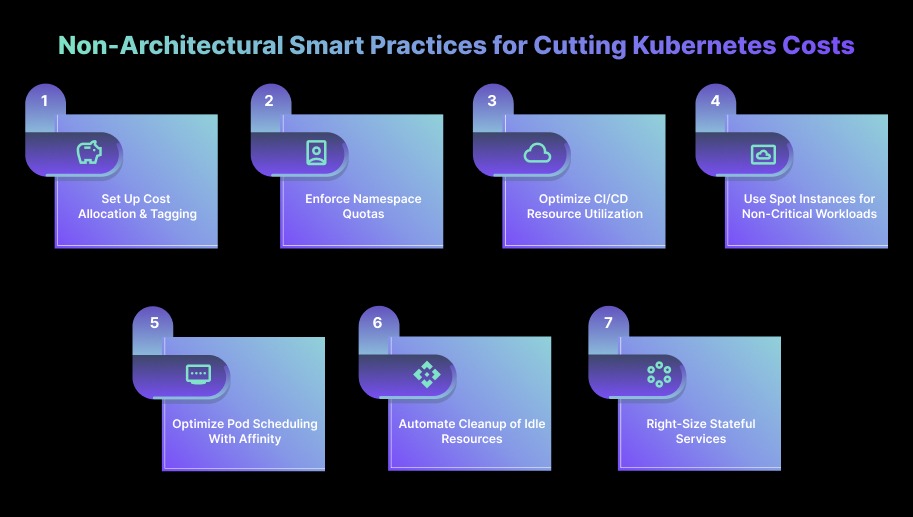
Many teams skip tagging early on, and by the time workloads scale, it's difficult to trace where runaway spending started. Create consistent cost tags for nodes, pods, and persistent volumes so you can track spending by team, project, or workload.
Make tagging part of the initial deployment process and review cost reports regularly to spot underutilized resources. Tools can help you break down costs and send alerts when usage crosses predefined thresholds.
Use Kubernetes resource quotas to limit the CPU, memory, and storage each namespace can consume. This adds a layer of guardrails that prevents well-intentioned deployments from consuming more than their fair share of cluster capacity. You can also apply LimitRange to set default resource limits and avoid unnecessary over-provisioning.
Build and test pipelines are often the biggest hidden cost centers because they scale quietly in the background without regular review. Tune your CI/CD pipelines so jobs run only when needed and request just the right amount of CPU and memory.
Temporary namespaces for build or test jobs help prevent resource sprawl. Enabling dynamic scaling ensures pipeline resources expand during heavy usage and shrink when demand drops.
Run stateless or non-critical workloads, like batch jobs or CI/CD tasks, on spot instances to reduce compute costs. Pair this with autoscaling so workloads automatically shift to on-demand resources if spot instances are interrupted. When paired correctly, spot instances significantly reduce compute costs without affecting workload continuity.
Efficient placement alone can reduce node count because pods land exactly where they should, not where Kubernetes finds the first available space. Use node affinity to place critical workloads on high-performance nodes, while taints and tolerations help steer non-essential workloads away from premium resources.
This improves scheduling efficiency and ensures you’re not paying extra for compute power where it isn’t needed.
Even small items like leftover PVCs or abandoned test namespaces can accumulate thousands of dollars in annual waste if not removed regularly. Set up automated cleanup jobs to regularly remove unused resources such as terminated pods, stale deployments, or orphaned persistent volumes.
Simple scripts or CronJobs can prevent idle resources from quietly accumulating costs over time.
Stateful workloads are often over-provisioned “just to be safe,” so reviewing real usage patterns almost always reveals excess capacity. Consolidate where possible to minimize the number of active resources.
Review actual usage to right-size persistent volume requests rather than relying on buffer-heavy estimates. If applicable, scale StatefulSets based on demand to keep storage and compute usage efficient.
After applying practical non-architectural strategies, the next step is exploring architectural approaches that can further optimize Kubernetes costs.
Architectural practices are crucial for controlling Kubernetes costs because they directly influence how efficiently your cluster uses compute, storage, and networking resources.
Teams usually focus on day-to-day cluster operations, but long-term cost control depends heavily on architectural decisions. This is where engineering judgment plays a big role. Choosing the right patterns early prevents cost inflation as workloads grow.
Most clusters end up oversized because teams plan for worst-case traffic. The result is a wide gap between requested and actual usage. Bridging this gap is one of the biggest cost wins we see across engineering teams, and it usually doesn’t require architectural changes, just better allocation discipline.
Make sure your nodes and pods are sized based on actual usage, not peak estimates. When resource requests and limits reflect real demand, you avoid both over-provisioning and unnecessary idle capacity. Keep an eye on usage trends with tools to spot inefficiencies early and adjust before costs grow.
Autoscaling can also introduce silent cost creep when thresholds, cooldowns, and VPA policies are tuned too aggressively. We often see clusters scale up correctly but fail to scale down in time, leaving behind unused nodes for hours.
So, use Horizontal Pod Autoscaling (HPA) and Vertical Pod Autoscaling (VPA) to automatically adjust replica counts and resource requests as demand changes. You can also pair them with Cluster Autoscaler so your nodes scale up or down at the right time. This ensures your cluster stays responsive during traffic spikes and cost-efficient during quiet hours.
In many audits, cross-zone data transfer quietly becomes one of the top three cost contributors. Keeping traffic local is a simple architectural shift that delivers disproportionate savings. To solve this, you can reduce cross-region or cross-VPC traffic to cut data transfer fees.
Whenever possible, keep communication within the same region or VPC. Internal load balancers and efficient service mesh setups (such as using lightweight sidecar proxies) help keep traffic local and cost-effective.
A simple rule that engineering teams rely on is this: if a workload runs for more than 65-70% of the time, reserved capacity almost always pays off. Anything below that usage range tends to work better on on-demand or even spot instances.
If you know certain workloads have stable, long-term demand, reserved instances or capacity reservations offer meaningful savings over on-demand pricing. This works especially well for production services that run continuously and can benefit from locked-in lower rates.
Once the architectural best practices are in place, the next step is choosing the right tools that can help you put those strategies into action.
The top Kubernetes cost-optimization tools help teams regain control by delivering deep cost visibility, resource-rightsizing insights, and automation that reduces waste while maintaining performance. Below is a list of the top five tools in 2026.
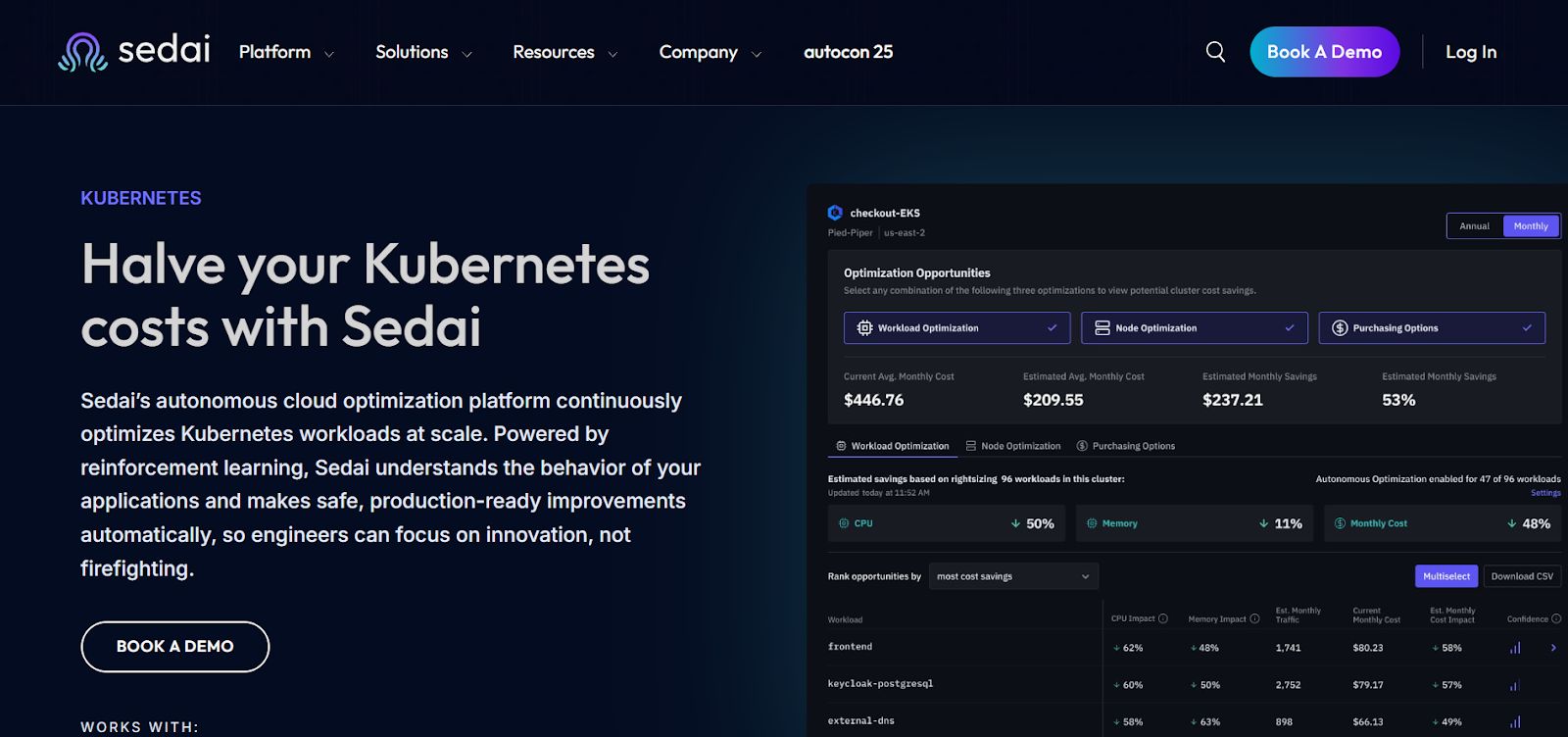
Sedai provides an autonomous control layer for Kubernetes that cuts down manual operations by analyzing live workload signals and taking direct action on the cluster.
It runs a continuous feedback loop that evaluates how applications behave in production and adjusts cluster conditions based on real-time patterns.
The platform removes the need for dashboards, playbooks, or reactive tuning by running a closed-loop optimization engine that responds faster than human-driven operations.
Sedai also creates a Kubernetes setup that improves cost efficiency while maintaining performance and reliability, allowing your teams to focus on product delivery.
Key Features:
Sedai delivers measurable impact across key cloud operations metrics, resulting in significant improvements in cost, performance, reliability, and productivity.
Best For:
Engineering teams running large-scale, business-critical Kubernetes environments who need to reduce cloud spend by 30–50%, improve performance, and eliminate operational toil without adding manual optimization workflows.
If you want to optimize Kubernetes costs and resource usage with Sedai, try our ROI calculator to estimate the potential return on investment from scaling efficiently, reducing waste, and improving cluster performance.
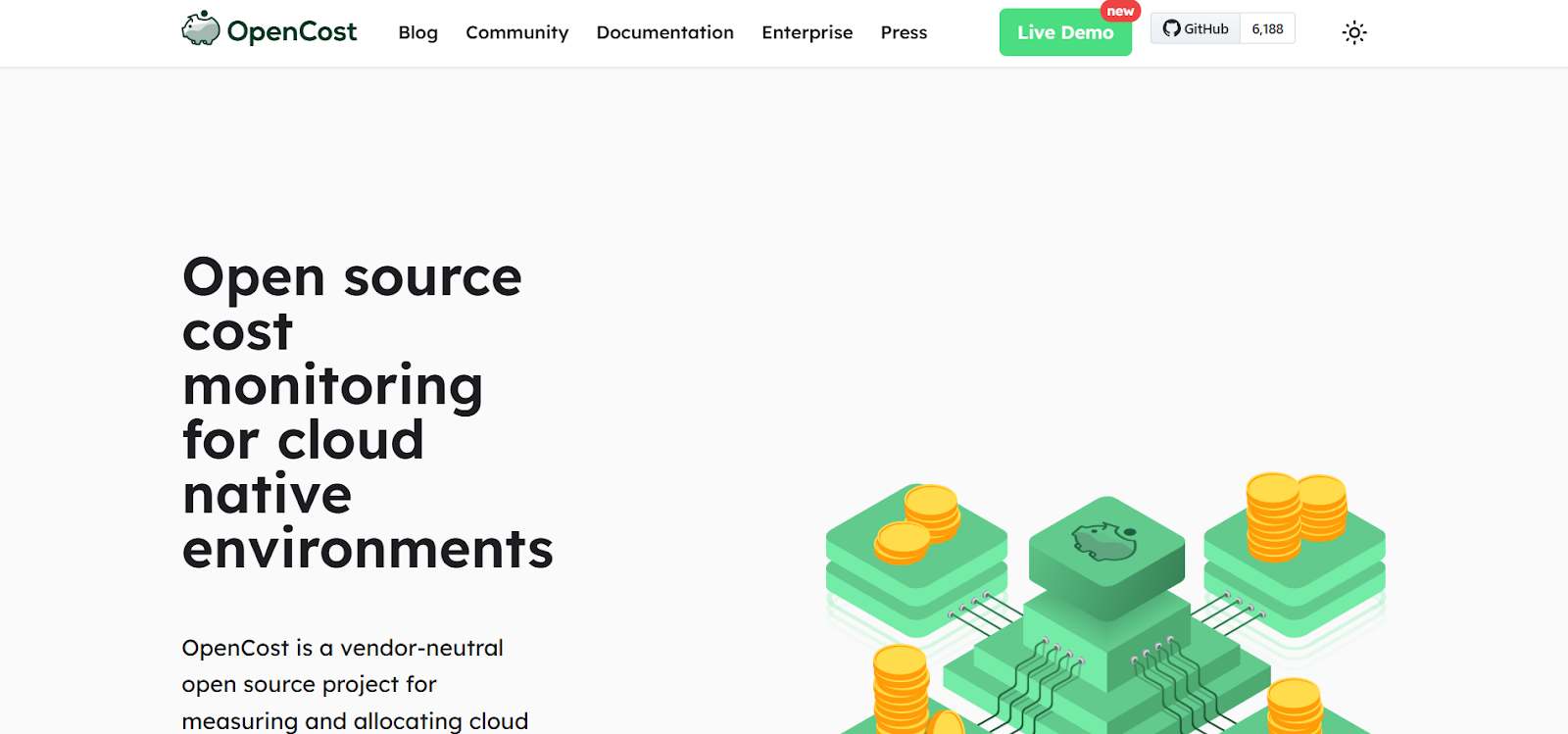
OpenCost is an open-source Kubernetes cost visibility tool designed to provide real-time cost allocation and insights across Kubernetes workloads.
It supports multi-cloud and on-prem environments, giving teams granular visibility into cloud resource usage and associated costs.
OpenCost helps organizations track and allocate Kubernetes costs effectively, providing cost attribution at the pod, namespace, and service level.
Key Features:
Best For:
Engineering teams running Kubernetes environments that need granular cost visibility and cost allocation across multiple cloud providers or on-prem clusters, and want a free, open-source solution to track and optimize Kubernetes spend.

Kubecost provides detailed cost allocation and insights for Kubernetes environments, enabling teams to track resource usage and optimize cloud spending.
It integrates with cloud billing systems and Kubernetes workloads to provide cost breakdowns across pods, namespaces, and services. Kubecost also offers manual optimization recommendations for right-sizing workloads and reducing waste.
Key Features:
Best For:
FinOps and DevOps teams that need detailed cost breakdowns for Kubernetes workloads, with the ability to track and optimize cloud spending across pods, namespaces, and services, and who prefer manual optimization insights to guide cost efficiency efforts.
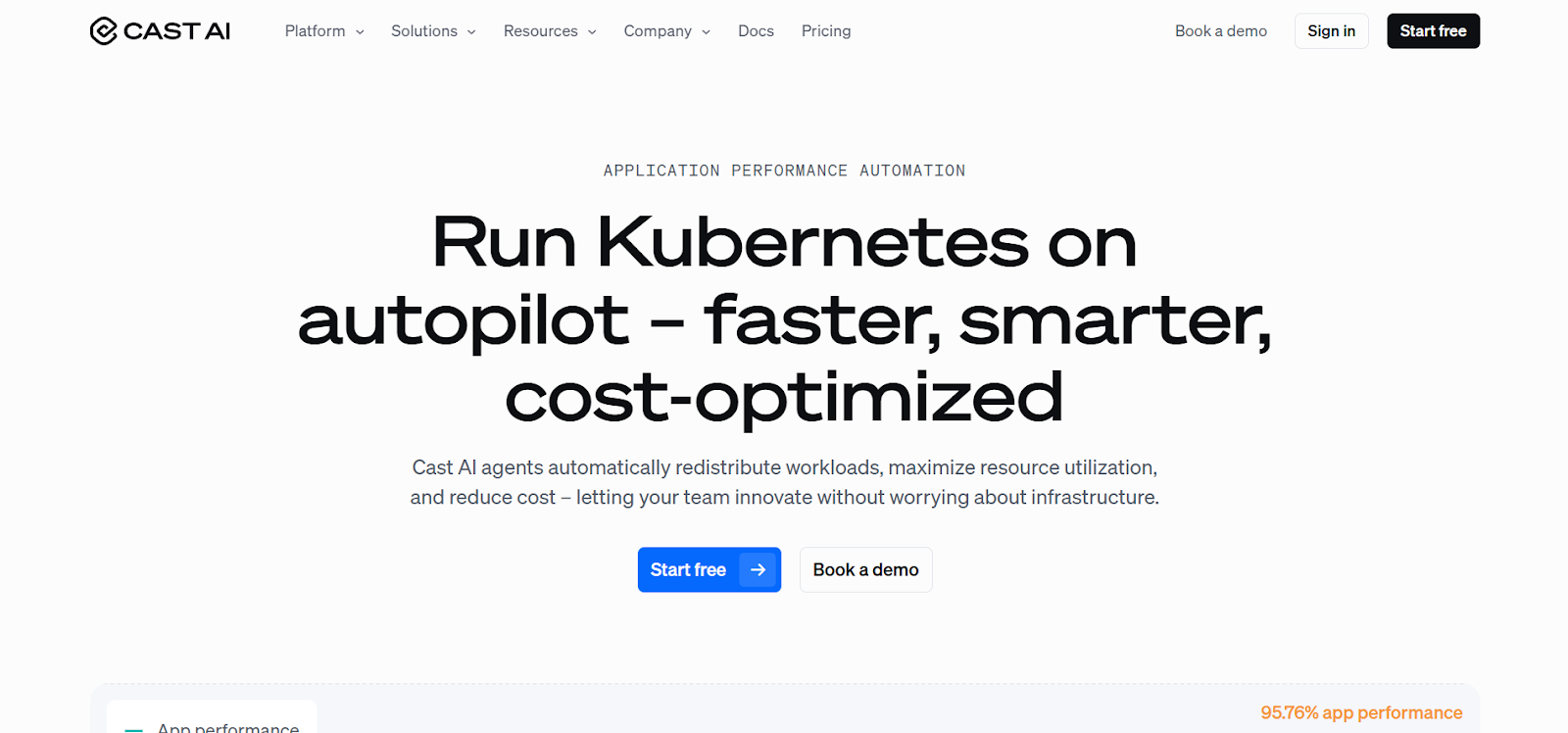
Cast AI is an AI-powered Kubernetes optimization platform that provides automated scaling, bin-packing, and cost-saving features for Kubernetes workloads.
It uses machine learning to continuously monitor and optimize resource allocation, ensuring that clusters remain cost-efficient without sacrificing performance.
Cast AI also supports multi-cloud environments, providing optimized resource management across various cloud providers.
Key Features:
Best For:
Enterprises with dynamic, multi-cloud Kubernetes environments that require automated resource scaling, AI-driven optimization, and cost-saving features for continuous workload efficiency across cloud providers such as AWS, GCP, and Azure.
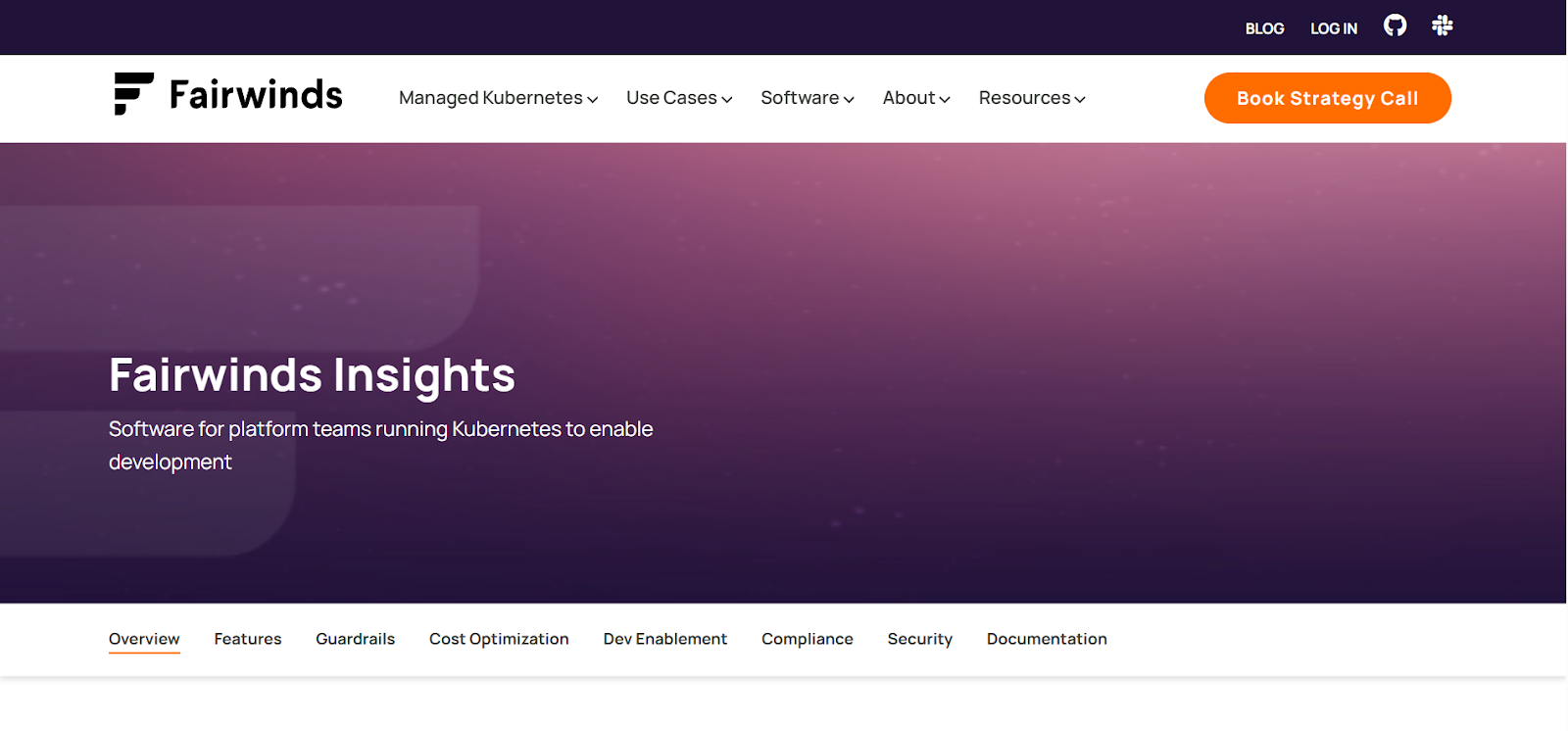
Fairwinds Insights is a Kubernetes cost optimization tool that offers cost allocation, right-sizing, and resource utilization analysis for Kubernetes workloads.
It provides teams with detailed insights into resource usage and cost allocation, offering recommendations for reducing waste and optimizing resource allocation.
Fairwinds Insights helps organizations align their Kubernetes infrastructure with FinOps practices, ensuring cost-efficient operations.
Key Features:
Best For:
DevOps and platform engineering teams that need granular cost visibility, rightsizing recommendations, and performance tracking for Kubernetes workloads, while aligning infrastructure decisions with FinOps practices for stronger cost governance and resource optimization.
After choosing the right tools to manage your costs, it is helpful to pair them with strong autoscaling strategies that keep your cluster efficient as workloads change.
Most cost issues appear not because autoscaling is missing, but because it’s configured with broad assumptions. Teams often scale up correctly but fail to scale down in time, leaving clusters running at peak capacity long after traffic has stabilized. Below is a list of the best autoscaling practices for optimizing Kubernetes costs.

In many environments, CPU-based scaling leads to overreaction or slow reaction because the CPU doesn’t always reflect real traffic. You need to move beyond basic CPU or memory triggers by configuring HPA with custom, application-specific metrics such as request rates, queue depth, or latency.
Enable custom metrics via Prometheus Adapter and integrate them with HPA so scaling decisions align directly with real application demand.
Use VPA to automatically adjust pod CPU and memory requests based on observed usage. This eliminates overprovisioning for static and ensures each pod gets exactly the resources it needs. You can deploy VPA in “recommendation” or “auto” mode alongside HPA to continuously right-size pod resources and reduce wasted capacity.
A good starting point is enabling VPA in recommendation mode for services that show large gaps between requested and actual usage. If recommendation deltas remain consistent over a week, auto mode usually becomes safe to adopt.
Cluster Autoscaler ensures that nodes are added only when workloads require them and removed when no longer needed. Nodes remain active because pods aren’t evicted quickly enough. You can use smaller node instance types or multiple node pools to help reduce these bottlenecks and speed up cost recovery.
Tune scale-up and scale-down thresholds, and configure multiple node pools to support different workload characteristics efficiently.
PDBs protect critical services during autoscaling events by ensuring a minimum number of pods remain available, even when nodes are removed or pods are rescheduled. Use PDBs alongside HPA, VPA, and Cluster Autoscaler so scaling decisions never compromise application uptime.
PDBs also prevent situations where nodes stay unsafely occupied because the autoscaler cannot drain pods. A well-tuned PDB ensures nodes can be removed cleanly, allowing clusters to reclaim capacity faster.
While autoscaling strategies can significantly reduce costs, it’s also important to be aware of common challenges and the solutions that ensure effective Kubernetes cost optimization.
Optimizing Kubernetes costs isn’t always straightforward. The platform’s dynamic resource allocation, complex autoscaling behavior, and evolving cloud pricing models can make cost management feel overwhelming.
By understanding these challenges early, you can take more informed steps toward keeping Kubernetes environments efficient and cost-effective.
Must Read: Detect Unused & Orphaned Kubernetes Resources
Optimizing Kubernetes costs is about embracing a culture of continuous efficiency. As your Kubernetes environment expands and your workloads upgrade, your optimization strategies need to be updated as well.
By using automated monitoring, predictive cost tools, and regularly reviewing your configurations, you can stay proactive rather than reactive. And remember, effective cost optimization gives your team more room to innovate and operate with greater agility.
Platforms like Sedai make this process seamless by continuously analyzing workload behavior, predicting resource needs, and automatically executing rightsizing actions. This ensures your Kubernetes clusters are always running efficiently.
With Sedai’s autonomous optimization in place, you can focus on scaling your business while your environment stays cost-efficient and well-optimized.
Achieve total transparency in your Kubernetes setup and eliminate wasted spend through automated cost optimization.
Failing to right-size resources can lead to two major issues: over-provisioning and under-provisioning. Over-provisioning means you’re paying for CPU and memory your workloads never actually use. Under-provisioning, on the other hand, can cause application throttling, instability, or even crashes.
In hybrid or multi-cloud setups, cost optimization becomes more challenging because each provider has different pricing models, networking charges, and storage costs. To optimize effectively, you need cross-cloud cost visibility, cloud-specific autoscaling configurations, and smart workload placement to reduce inter-cloud data transfer fees.
Yes, if not done correctly. Reducing resource requests too aggressively can lead to throttling or slowdowns. The key is balancing cost savings with performance by using tools like HPA and VPA, and by setting accurate resource requests/limits based on real workload behavior.
Monitoring tools are essential for cost optimization. They give you visibility into CPU, memory, and storage usage, helping you spot over-provisioning, unused resources, or inefficient scaling. With these insights, you can make informed decisions and continuously fine-tune your resource configurations to keep costs under control.
A good rule of thumb is to review your resource requests and limits every quarter, or whenever there’s a major change in your workloads, architecture, or cloud pricing. Regular reviews ensure your allocations reflect actual usage patterns, helping you avoid both over-provisioning and unexpected performance issues.
December 5, 2025
December 5, 2025
Optimizing Kubernetes costs requires a deep understanding of resource management, from right-sizing pod and node configurations to efficient scaling strategies. Misconfigurations in resource requests and autoscaling policies can lead to over-provisioning or under-provisioning, driving up unnecessary costs. By carefully managing key factors like storage, networking, and node types, you can reduce waste while maintaining performance. Implementing smart practices like spot instances and vertical pod autoscaling helps automate cost optimization, ensuring your cluster stays efficient and cost-effective as it scales.
Is your Kubernetes environment consuming more of your budget than you expected, even after making ongoing optimization efforts? You know you’re constantly balancing the need to scale fast with the pressure to keep costs under control.
Yet, autoscaling decisions, resource misconfigurations, and unpredictable workload patterns can quietly drive expenses higher. Recent findings show that 21% of enterprise cloud infrastructure spending in 2025, about $44.5 billion, was wasted due to underutilized resources, highlighting how quickly these inefficiencies can add up.
Kubernetes’s dynamic nature makes it even easier to slip into over-provisioning or under-provisioning, both of which waste money and strain performance. This guide isn’t another “ten tips to save on Kubernetes” piece. It’s a practical look at how engineering teams can close the efficiency gap.
In this blog, you’ll explore how to fine-tune your Kubernetes setup, from right-sizing resources to optimizing autoscaling so that you can regain control of your costs.
Many teams assume Kubernetes will manage resources efficiently on its own, but the platform only performs as well as the configurations you set. Cost optimization is what ensures the cluster behaves predictably as workloads shift.
Kubernetes cost optimization is the practice of aligning pod, node, and cluster resources with the real behavior of your containerized workloads. It focuses on right-sizing CPU and memory requests, improving pod-to-node placement, fine-tuning autoscaling rules, and selecting the most efficient node types.
Kubernetes environments change rapidly as deployments change, services scale, and workloads fluctuate. Cost optimization ensures clusters operate on the smallest safe footprint while maintaining performance under real traffic conditions.
Even small misalignments in resource requests, autoscaling, or node choices can snowball into significant waste at scale, which is why understanding the impact areas matters.
Here’s why Kubernetes cost optimization matters:
You often configure conservative CPU and memory requests, which limit pod density and force Kubernetes to provision unnecessary nodes. Rightsizing requests and improving bin packing lowers node counts while keeping workloads stable, directly reducing compute spend without compromising reliability.
Pods with insufficient CPU or memory can experience throttling, OOM kills, and unpredictable latency. Optimizing resource allocations ensures services meet SLOs during peak demand, maintaining consistent performance without over-provisioning infrastructure.
HPA, VPA, and cluster autoscaler decisions can leave clusters with excess nodes or replicas after traffic declines. Continuous optimization realigns capacity with sustained load rather than temporary spikes, keeping cluster size tied to actual usage instead of outdated scaling events.
Using high-performance or specialized nodes for low-intensity workloads inflates cost without improving output. Optimization maps workloads to the correct instance families and storage tiers based on real resource patterns. This allows you to maintain performance targets without paying for unnecessary capacity.
Cost allocation by namespace, deployment, or service highlights which workloads consume the most resources. You can identify inefficient services, stale environments, and workloads that no longer justify their resource footprint, supporting data-driven decisions for scaling, refactoring, and cleanup.
Once you know why cost optimization matters, it becomes easier to implement practical, non-architectural strategies to reduce them.
Suggested Read: A Guide to Kubernetes Management in 2025
Non-architectural practices are key to optimizing Kubernetes costs because they improve resource efficiency without requiring changes to the underlying architecture. These actions help teams plug everyday inefficiencies that quietly add up over time, making them some of the fastest ways to reduce Kubernetes spend:
Many teams skip tagging early on, and by the time workloads scale, it's difficult to trace where runaway spending started. Create consistent cost tags for nodes, pods, and persistent volumes so you can track spending by team, project, or workload.
Make tagging part of the initial deployment process and review cost reports regularly to spot underutilized resources. Tools can help you break down costs and send alerts when usage crosses predefined thresholds.
Use Kubernetes resource quotas to limit the CPU, memory, and storage each namespace can consume. This adds a layer of guardrails that prevents well-intentioned deployments from consuming more than their fair share of cluster capacity. You can also apply LimitRange to set default resource limits and avoid unnecessary over-provisioning.
Build and test pipelines are often the biggest hidden cost centers because they scale quietly in the background without regular review. Tune your CI/CD pipelines so jobs run only when needed and request just the right amount of CPU and memory.
Temporary namespaces for build or test jobs help prevent resource sprawl. Enabling dynamic scaling ensures pipeline resources expand during heavy usage and shrink when demand drops.
Run stateless or non-critical workloads, like batch jobs or CI/CD tasks, on spot instances to reduce compute costs. Pair this with autoscaling so workloads automatically shift to on-demand resources if spot instances are interrupted. When paired correctly, spot instances significantly reduce compute costs without affecting workload continuity.
Efficient placement alone can reduce node count because pods land exactly where they should, not where Kubernetes finds the first available space. Use node affinity to place critical workloads on high-performance nodes, while taints and tolerations help steer non-essential workloads away from premium resources.
This improves scheduling efficiency and ensures you’re not paying extra for compute power where it isn’t needed.
Even small items like leftover PVCs or abandoned test namespaces can accumulate thousands of dollars in annual waste if not removed regularly. Set up automated cleanup jobs to regularly remove unused resources such as terminated pods, stale deployments, or orphaned persistent volumes.
Simple scripts or CronJobs can prevent idle resources from quietly accumulating costs over time.
Stateful workloads are often over-provisioned “just to be safe,” so reviewing real usage patterns almost always reveals excess capacity. Consolidate where possible to minimize the number of active resources.
Review actual usage to right-size persistent volume requests rather than relying on buffer-heavy estimates. If applicable, scale StatefulSets based on demand to keep storage and compute usage efficient.
After applying practical non-architectural strategies, the next step is exploring architectural approaches that can further optimize Kubernetes costs.
Architectural practices are crucial for controlling Kubernetes costs because they directly influence how efficiently your cluster uses compute, storage, and networking resources.
Teams usually focus on day-to-day cluster operations, but long-term cost control depends heavily on architectural decisions. This is where engineering judgment plays a big role. Choosing the right patterns early prevents cost inflation as workloads grow.
Most clusters end up oversized because teams plan for worst-case traffic. The result is a wide gap between requested and actual usage. Bridging this gap is one of the biggest cost wins we see across engineering teams, and it usually doesn’t require architectural changes, just better allocation discipline.
Make sure your nodes and pods are sized based on actual usage, not peak estimates. When resource requests and limits reflect real demand, you avoid both over-provisioning and unnecessary idle capacity. Keep an eye on usage trends with tools to spot inefficiencies early and adjust before costs grow.
Autoscaling can also introduce silent cost creep when thresholds, cooldowns, and VPA policies are tuned too aggressively. We often see clusters scale up correctly but fail to scale down in time, leaving behind unused nodes for hours.
So, use Horizontal Pod Autoscaling (HPA) and Vertical Pod Autoscaling (VPA) to automatically adjust replica counts and resource requests as demand changes. You can also pair them with Cluster Autoscaler so your nodes scale up or down at the right time. This ensures your cluster stays responsive during traffic spikes and cost-efficient during quiet hours.
In many audits, cross-zone data transfer quietly becomes one of the top three cost contributors. Keeping traffic local is a simple architectural shift that delivers disproportionate savings. To solve this, you can reduce cross-region or cross-VPC traffic to cut data transfer fees.
Whenever possible, keep communication within the same region or VPC. Internal load balancers and efficient service mesh setups (such as using lightweight sidecar proxies) help keep traffic local and cost-effective.
A simple rule that engineering teams rely on is this: if a workload runs for more than 65-70% of the time, reserved capacity almost always pays off. Anything below that usage range tends to work better on on-demand or even spot instances.
If you know certain workloads have stable, long-term demand, reserved instances or capacity reservations offer meaningful savings over on-demand pricing. This works especially well for production services that run continuously and can benefit from locked-in lower rates.
Once the architectural best practices are in place, the next step is choosing the right tools that can help you put those strategies into action.
The top Kubernetes cost-optimization tools help teams regain control by delivering deep cost visibility, resource-rightsizing insights, and automation that reduces waste while maintaining performance. Below is a list of the top five tools in 2026.
Sedai provides an autonomous control layer for Kubernetes that cuts down manual operations by analyzing live workload signals and taking direct action on the cluster.
It runs a continuous feedback loop that evaluates how applications behave in production and adjusts cluster conditions based on real-time patterns.
The platform removes the need for dashboards, playbooks, or reactive tuning by running a closed-loop optimization engine that responds faster than human-driven operations.
Sedai also creates a Kubernetes setup that improves cost efficiency while maintaining performance and reliability, allowing your teams to focus on product delivery.
Key Features:
Sedai delivers measurable impact across key cloud operations metrics, resulting in significant improvements in cost, performance, reliability, and productivity.
Best For:
Engineering teams running large-scale, business-critical Kubernetes environments who need to reduce cloud spend by 30–50%, improve performance, and eliminate operational toil without adding manual optimization workflows.
If you want to optimize Kubernetes costs and resource usage with Sedai, try our ROI calculator to estimate the potential return on investment from scaling efficiently, reducing waste, and improving cluster performance.
OpenCost is an open-source Kubernetes cost visibility tool designed to provide real-time cost allocation and insights across Kubernetes workloads.
It supports multi-cloud and on-prem environments, giving teams granular visibility into cloud resource usage and associated costs.
OpenCost helps organizations track and allocate Kubernetes costs effectively, providing cost attribution at the pod, namespace, and service level.
Key Features:
Best For:
Engineering teams running Kubernetes environments that need granular cost visibility and cost allocation across multiple cloud providers or on-prem clusters, and want a free, open-source solution to track and optimize Kubernetes spend.
Kubecost provides detailed cost allocation and insights for Kubernetes environments, enabling teams to track resource usage and optimize cloud spending.
It integrates with cloud billing systems and Kubernetes workloads to provide cost breakdowns across pods, namespaces, and services. Kubecost also offers manual optimization recommendations for right-sizing workloads and reducing waste.
Key Features:
Best For:
FinOps and DevOps teams that need detailed cost breakdowns for Kubernetes workloads, with the ability to track and optimize cloud spending across pods, namespaces, and services, and who prefer manual optimization insights to guide cost efficiency efforts.
Cast AI is an AI-powered Kubernetes optimization platform that provides automated scaling, bin-packing, and cost-saving features for Kubernetes workloads.
It uses machine learning to continuously monitor and optimize resource allocation, ensuring that clusters remain cost-efficient without sacrificing performance.
Cast AI also supports multi-cloud environments, providing optimized resource management across various cloud providers.
Key Features:
Best For:
Enterprises with dynamic, multi-cloud Kubernetes environments that require automated resource scaling, AI-driven optimization, and cost-saving features for continuous workload efficiency across cloud providers such as AWS, GCP, and Azure.
Fairwinds Insights is a Kubernetes cost optimization tool that offers cost allocation, right-sizing, and resource utilization analysis for Kubernetes workloads.
It provides teams with detailed insights into resource usage and cost allocation, offering recommendations for reducing waste and optimizing resource allocation.
Fairwinds Insights helps organizations align their Kubernetes infrastructure with FinOps practices, ensuring cost-efficient operations.
Key Features:
Best For:
DevOps and platform engineering teams that need granular cost visibility, rightsizing recommendations, and performance tracking for Kubernetes workloads, while aligning infrastructure decisions with FinOps practices for stronger cost governance and resource optimization.
After choosing the right tools to manage your costs, it is helpful to pair them with strong autoscaling strategies that keep your cluster efficient as workloads change.
Most cost issues appear not because autoscaling is missing, but because it’s configured with broad assumptions. Teams often scale up correctly but fail to scale down in time, leaving clusters running at peak capacity long after traffic has stabilized. Below is a list of the best autoscaling practices for optimizing Kubernetes costs.
In many environments, CPU-based scaling leads to overreaction or slow reaction because the CPU doesn’t always reflect real traffic. You need to move beyond basic CPU or memory triggers by configuring HPA with custom, application-specific metrics such as request rates, queue depth, or latency.
Enable custom metrics via Prometheus Adapter and integrate them with HPA so scaling decisions align directly with real application demand.
Use VPA to automatically adjust pod CPU and memory requests based on observed usage. This eliminates overprovisioning for static and ensures each pod gets exactly the resources it needs. You can deploy VPA in “recommendation” or “auto” mode alongside HPA to continuously right-size pod resources and reduce wasted capacity.
A good starting point is enabling VPA in recommendation mode for services that show large gaps between requested and actual usage. If recommendation deltas remain consistent over a week, auto mode usually becomes safe to adopt.
Cluster Autoscaler ensures that nodes are added only when workloads require them and removed when no longer needed. Nodes remain active because pods aren’t evicted quickly enough. You can use smaller node instance types or multiple node pools to help reduce these bottlenecks and speed up cost recovery.
Tune scale-up and scale-down thresholds, and configure multiple node pools to support different workload characteristics efficiently.
PDBs protect critical services during autoscaling events by ensuring a minimum number of pods remain available, even when nodes are removed or pods are rescheduled. Use PDBs alongside HPA, VPA, and Cluster Autoscaler so scaling decisions never compromise application uptime.
PDBs also prevent situations where nodes stay unsafely occupied because the autoscaler cannot drain pods. A well-tuned PDB ensures nodes can be removed cleanly, allowing clusters to reclaim capacity faster.
While autoscaling strategies can significantly reduce costs, it’s also important to be aware of common challenges and the solutions that ensure effective Kubernetes cost optimization.
Optimizing Kubernetes costs isn’t always straightforward. The platform’s dynamic resource allocation, complex autoscaling behavior, and evolving cloud pricing models can make cost management feel overwhelming.
By understanding these challenges early, you can take more informed steps toward keeping Kubernetes environments efficient and cost-effective.
Must Read: Detect Unused & Orphaned Kubernetes Resources
Optimizing Kubernetes costs is about embracing a culture of continuous efficiency. As your Kubernetes environment expands and your workloads upgrade, your optimization strategies need to be updated as well.
By using automated monitoring, predictive cost tools, and regularly reviewing your configurations, you can stay proactive rather than reactive. And remember, effective cost optimization gives your team more room to innovate and operate with greater agility.
Platforms like Sedai make this process seamless by continuously analyzing workload behavior, predicting resource needs, and automatically executing rightsizing actions. This ensures your Kubernetes clusters are always running efficiently.
With Sedai’s autonomous optimization in place, you can focus on scaling your business while your environment stays cost-efficient and well-optimized.
Achieve total transparency in your Kubernetes setup and eliminate wasted spend through automated cost optimization.
Failing to right-size resources can lead to two major issues: over-provisioning and under-provisioning. Over-provisioning means you’re paying for CPU and memory your workloads never actually use. Under-provisioning, on the other hand, can cause application throttling, instability, or even crashes.
In hybrid or multi-cloud setups, cost optimization becomes more challenging because each provider has different pricing models, networking charges, and storage costs. To optimize effectively, you need cross-cloud cost visibility, cloud-specific autoscaling configurations, and smart workload placement to reduce inter-cloud data transfer fees.
Yes, if not done correctly. Reducing resource requests too aggressively can lead to throttling or slowdowns. The key is balancing cost savings with performance by using tools like HPA and VPA, and by setting accurate resource requests/limits based on real workload behavior.
Monitoring tools are essential for cost optimization. They give you visibility into CPU, memory, and storage usage, helping you spot over-provisioning, unused resources, or inefficient scaling. With these insights, you can make informed decisions and continuously fine-tune your resource configurations to keep costs under control.
A good rule of thumb is to review your resource requests and limits every quarter, or whenever there’s a major change in your workloads, architecture, or cloud pricing. Regular reviews ensure your allocations reflect actual usage patterns, helping you avoid both over-provisioning and unexpected performance issues.



.svg)
.svg)


%201.svg)
%202.svg)


.svg)